 Xhome
Xhome
$0
every feature, free updates inside the app
Download Xhome freeCurrent version: · macOS 13 or later · Apple silicon and Intel · notarized by Apple · free
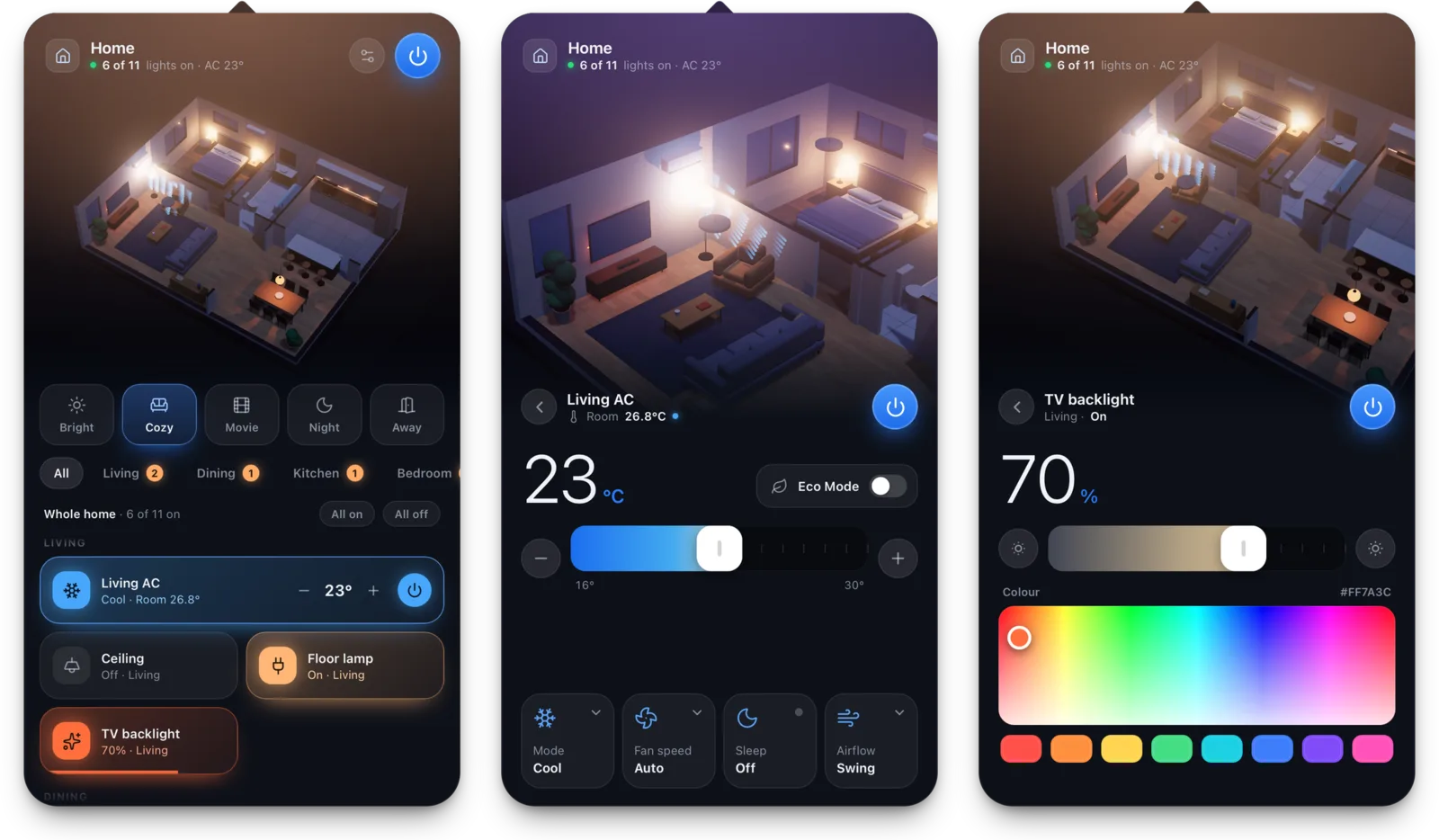
Click the house in the menu bar, tap a light to toggle it, drag to dim, set the AC or pick a scene like "Cozy" or "Movie" — the lamps in the model light up just like the real ones.
Click anywhere else and the panel is gone. No window, no Dock icon.
Mix devices from several systems in one home. Widgets need macOS 14 or later.
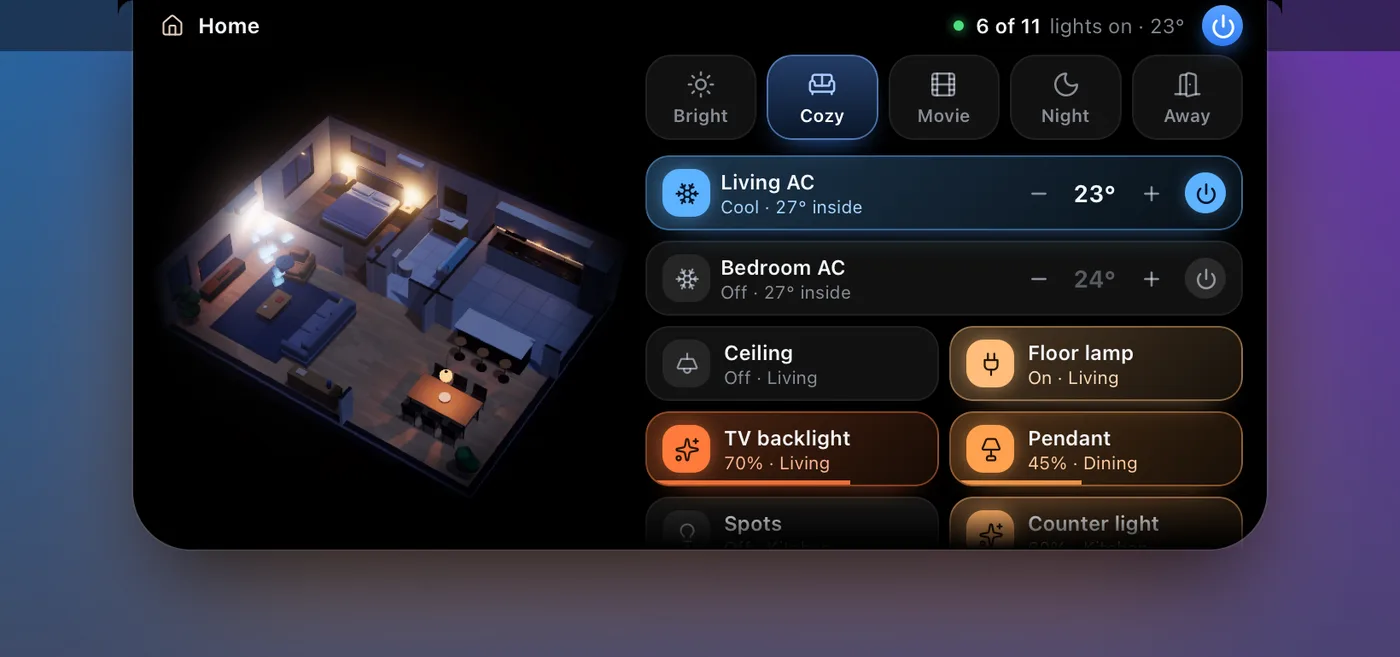
Rest the pointer on your MacBook's notch and a small live model of the home drops out, with scenes and every device one click away. On a Mac without a notch, Xhome draws one.
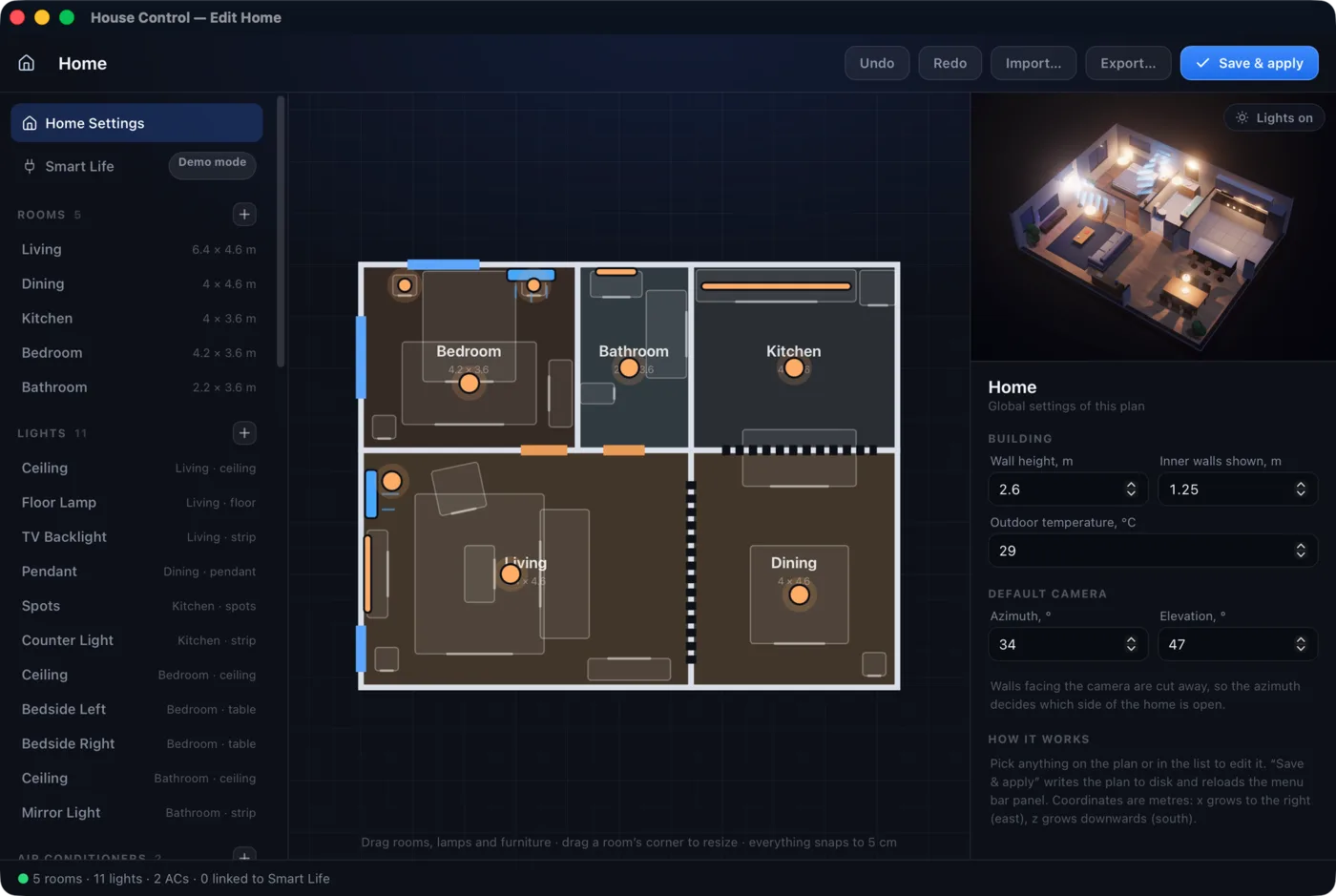
A visual editor: draw the rooms, add doors, windows and furniture, place lamps and ACs, then link each one to a real device. Until you sign in, every device is simulated, so you can try everything first.
No ads, no Xhome account, no server in between. Every feature is unlocked.
$0
every feature, free updates inside the app
Download Xhome freeXhome is still growing. A device you use that isn't supported, something awkward, a scene that should be built in — just tell me.
Xhome runs entirely on your Mac. It talks directly to Smart Life, Home Assistant and Philips Hue using the accounts or bridges you already have, never through an Xhome server.
Your floor plan is one JSON file on your Mac: rooms, walls, doors, furniture, and the lights and ACs linked to real devices. Lamps that are on light the model; an AC that is running blows visible air.
Xhome needs macOS 13 or later. The editor and the AI Access screen are English only for now; the panel and menus are also in Vietnamese.
Lights and air conditioners in Smart Life / Tuya (including ACs through a Tuya infrared remote), Home Assistant and the brands it supports, and Philips Hue. You can mix several systems in one home.
Scan a QR code with the Smart Life app on your phone. Xhome uses the interface Tuya opens for Home Assistant; Tuya can change it at any time, so the feature may stop working until Xhome is updated.
You create a private link (or an MCP connection) so ChatGPT, Claude or another assistant can switch lights, set ACs and rebuild rooms from photos you send it. Your Mac serves that link; Stop ends it at once. Access over the internet needs cloudflared.
Not publicly released yet. Xhome is for the Mac for now.
Yes. Xhome opens with a demo home full of simulated devices, so you can try every feature before connecting anything.
Yes. No paid tiers, no ads, no locked features.
Current version: